
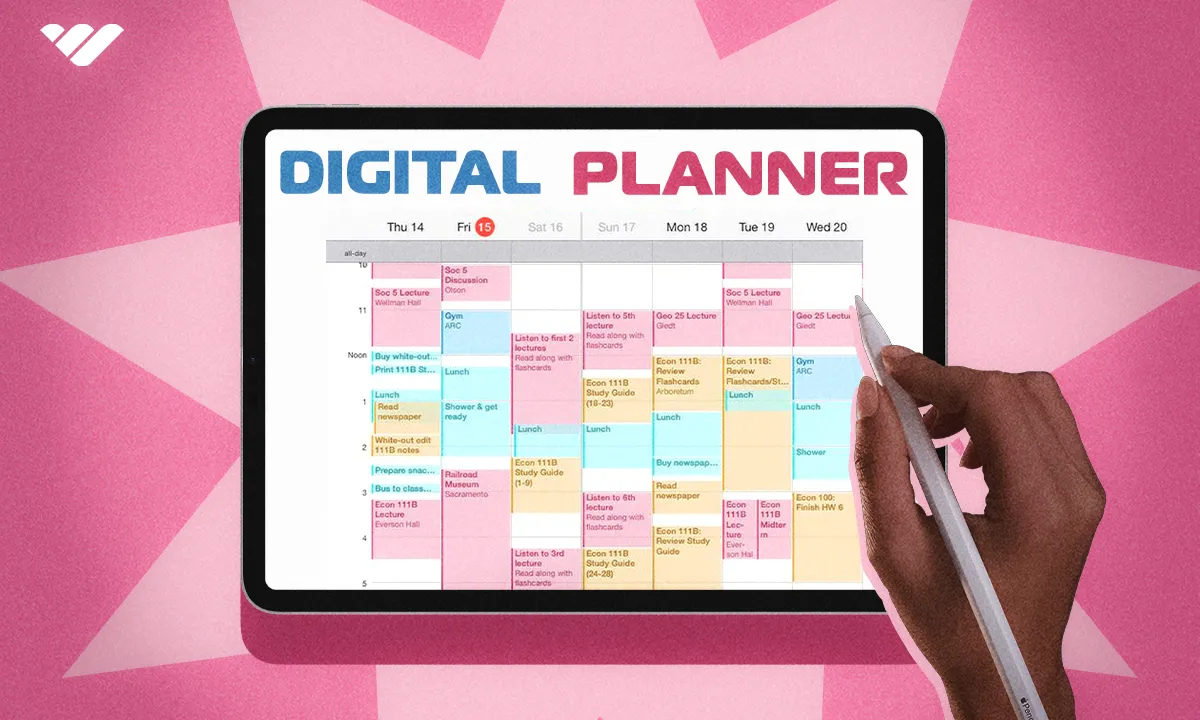
Life can get busy, especially when you have many things to do every day. You may need to finish school assignments, attend meetings, manage your business, spend time with family, and work toward personal goals. Sometimes, it becomes difficult to remember every task and deadline. This is where digital planners can help. They provide a simple way to organize your schedule, manage your time, and keep important information in one place. Instead of writing everything in a paper notebook, you can use your phone, tablet, or computer to plan your day.
Digital planners have become a popular choice for students, professionals, business owners, and people who want to improve their daily routines. They offer useful features such as calendars, to-do lists, reminders, habit trackers, and goal-setting pages. Moreover, many digital planners allow you to change your schedule whenever your plans change. You can move tasks, update notes, and create new lists without wasting paper. Some planners also let you customize colors, fonts, and layouts to match your personal style.
In this complete guide, you will learn everything you need to know about digital planners. We will explain how they work, discuss their main benefits, and explore the different types available. You will also learn how to choose the right planner, build better planning habits, and avoid common mistakes. Whether you want to manage schoolwork, improve productivity, or organize your personal life, digital planners can help you create a routine that works for you.
What Are Digital Planners?
Digital planners are electronic tools that help people organize their schedules, tasks, appointments, goals, and daily activities. They often look like traditional paper planners, but you use them on a digital device. Some digital planners include simple calendars and task lists, while others offer detailed layouts with daily schedules, weekly plans, monthly calendars, notes, and habit trackers. You can choose the type that best matches your needs. For example, a student may need an academic planner, while a business owner may prefer a planner with project management features.
One of the biggest advantages of digital planners is their flexibility. You can add new tasks, change deadlines, and update information whenever necessary. If a meeting moves from Monday to Wednesday, you can adjust your schedule in a few moments. Likewise, if you forget an important task, you can add it to your list as soon as you remember it. Many planners also let you organize information into different sections. This makes it easier to separate work responsibilities from personal activities, family events, and long-term goals.
Digital planners come in several forms. Some work through mobile apps, while others open in a web browser or as downloadable PDF files. Certain planners include automatic reminders and cloud syncing, while others focus on handwritten notes and attractive page designs. Therefore, it is important to understand what each type offers before choosing one. You do not need an expensive tool to get started. A simple digital planner with a calendar and task list may be enough to improve your daily organization.
How Do Digital Planners Work?
Digital planners work through apps, websites, or digital documents that you can access on compatible devices. After choosing a planner, you can enter your tasks, appointments, goals, and other important information. You can then organize these details by date, category, or priority. For example, you might add a work meeting to your calendar, write a shopping list in your notes section, and create a weekly goal for your personal development. This approach helps you keep different parts of your life organized without using several notebooks.
Some digital planners work like traditional paper planners. You can download a PDF file and open it in a compatible note-taking app. If your device supports a digital pen, you can write directly on the pages. Other planners work more like online calendars or task management systems. They allow you to type information, set reminders, repeat tasks, and organize projects. Depending on the tool, you may also share calendars with other people or access your information across several devices.
However, every digital planner has different features. A downloadable planner may offer beautiful layouts but lack automatic notifications. An app-based planner may provide reminders but offer fewer options for handwritten notes. Similarly, some tools work offline, while others need an internet connection for certain features. Before selecting a planner, think about how you want to use it. When you understand your needs, it becomes easier to choose a tool that fits your routine.
Benefits of Using Digital Planners
Digital planners offer several benefits for people who want to manage their time more effectively. They help you organize responsibilities, remember important events, and track your progress toward personal goals. Moreover, they can make daily planning easier by bringing your tasks and schedules together. Instead of checking several notebooks, you can open one digital tool and review what needs your attention. However, the real benefits depend on how consistently you use your planner and whether its features match your needs.
Keep Everything Organized
One major benefit of digital planners is that they help you organize different areas of your life in one place. You can create separate sections for work, education, family, personal goals, and daily responsibilities. For example, a student can use one section for assignments, another for exam dates, and a third for study notes. Similarly, a freelancer can organize client meetings, project deadlines, invoices, and weekly goals. This setup makes it easier to find important information when you need it.
Digital planners also help you manage tasks according to their importance. You can mark urgent activities, add deadlines, and divide large projects into smaller steps. Instead of trying to remember everything, you can review your list and decide what to do next. In addition, many planners allow you to search your notes or filter tasks by date and category. These features can save time, especially when your schedule includes many responsibilities.
Save Time Every Day
Planning your day in advance can help you work more efficiently. When you write down your tasks, you spend less time deciding what to do next. You can prepare a simple schedule each morning or plan the following day before going to bed. For example, you might schedule two hours for important work, thirty minutes for emails, and some time for breaks. This approach gives your day more structure and helps you focus on your main priorities.
Many digital planners also include reminders that alert you about appointments and deadlines. These reminders can be useful when you have a busy schedule or frequently forget small tasks. If your plans change, you can update your calendar without rewriting an entire page. However, reminders alone cannot manage your time for you. You still need to choose realistic deadlines and leave enough space between activities. When you combine reminders with thoughtful planning, you can make better use of your time.
Reduce Paper Waste
Traditional planners usually require paper, and many people purchase a new notebook every year. Digital planners provide another option because you can store and update information on your device. You can reuse many digital templates, duplicate useful pages, and change existing notes without printing new copies. This approach may help reduce paper use, especially if you regularly write shopping lists, weekly schedules, project notes, or personal goals.
Digital planning can also reduce physical clutter. Instead of carrying several notebooks, you may be able to keep your schedules and notes in one app or digital file. This can be especially helpful for students and professionals who move between different places during the day. However, digital devices also use energy and require electronic materials. Therefore, digital planners are not completely free of environmental effects. Still, they can offer a practical way to reduce your dependence on paper.
Customize Your Planning Style
Everyone has different planning habits. Some people prefer simple lists, while others enjoy colorful pages with sections for every activity. Digital planners often allow you to choose layouts, fonts, colors, and other design elements. For example, you can use blue for work tasks, green for personal goals, and orange for urgent deadlines. You can also add notes, stickers, or handwritten details if your planner supports them. These choices can make planning more enjoyable and easier to understand.
Customization is useful because it helps you build a system that fits your lifestyle. A student may want a timetable and assignment tracker, while a parent may need meal plans, shopping lists, and family appointments. Likewise, a business owner may prefer a weekly overview with project deadlines and meeting notes. Instead of following a fixed layout that does not suit you, you can select a planner that supports your daily needs. Nevertheless, avoid spending too much time decorating your pages. Your main goal should be to stay organized.
Track Goals and Progress
Digital planners can help you turn big goals into smaller, manageable steps. Suppose you want to learn a new skill, read more books, or finish a personal project. You can write down your goal, set a target date, and create weekly tasks that move you closer to success. As you complete each step, you can mark it as finished. This gives you a clear view of your progress and helps you understand how much work remains.
Many digital planners also include habit trackers and review pages. You can use these features to monitor routines such as reading, studying, exercise, or daily writing. At the end of each week, review your results and identify what worked well. If a goal feels too difficult, divide it into smaller steps or adjust your schedule. Remember that progress does not need to happen all at once. Small actions performed regularly can make a meaningful difference over time.
Different Types of Digital Planners
Digital planners come in many styles, and each type serves a different purpose. Some focus on daily schedules, while others help you manage academic work, business projects, money, or personal habits. Before choosing one, consider what you want to organize and how much detail you need. A simple planner may be enough for everyday tasks, but a more advanced tool may help when you manage several projects or responsibilities.
Daily Digital Planners
Daily digital planners help you organize activities for a single day. They often include sections for priorities, appointments, tasks, notes, and daily goals. You can use them to plan your morning routine, work hours, study sessions, household chores, and evening activities. By reviewing your plan at the beginning of the day, you can understand which tasks need your attention first. This makes daily planning especially useful for people who feel overwhelmed by long to-do lists.
A daily planner can also help you create a more balanced routine. For example, you can schedule work alongside meals, breaks, exercise, and personal time. This reminds you that your day includes more than work or school responsibilities. However, avoid filling every minute with activities. Leave some free time for unexpected events and rest. A realistic schedule is usually more helpful than a perfect-looking page that you cannot follow.
Weekly Digital Planners
Weekly digital planners give you an overview of seven days. They help you understand how appointments, deadlines, and responsibilities fit together throughout the week. Students can use them to plan assignments and revision sessions, while professionals can organize meetings and project work. You can also include personal activities, such as family visits, shopping, or exercise. This wider view helps you prepare for busy days before they arrive.
Weekly planning is especially useful when you have several deadlines close together. Instead of trying to complete everything at the last minute, you can spread your work across different days. For example, you might research a project on Monday, write the first draft on Tuesday, and review it on Wednesday. You can then use Thursday for final changes. This simple method reduces pressure and helps you complete important work more comfortably.
Monthly Digital Planners
Monthly digital planners help you organize events and goals over a longer period. They often include a calendar, important dates, monthly priorities, and space for notes. You can use them to record birthdays, appointments, payment dates, travel plans, exams, and business deadlines. Because you can see the entire month, you can prepare for important events before they become urgent. This makes monthly planning useful for both personal and professional life.
A monthly planner can also help you review your progress and plan ahead. At the beginning of the month, choose a few goals that matter most. Then, add smaller tasks to your weekly or daily planner. At the end of the month, check what you completed and what needs more attention. You can use these lessons to improve your next plan. However, keep your monthly goals realistic so that your schedule remains manageable.
Academic Digital Planners
Academic digital planners help students manage classes, homework, assignments, exams, and study routines. They often include class timetables, assignment trackers, reading lists, and exam preparation pages. Students can use these sections to record deadlines and divide schoolwork into smaller steps. For example, a student preparing for an exam can create a study schedule that covers one subject at a time. This makes revision more organized and easier to follow.
These planners can also help students develop useful habits. By checking their schedules every morning, students can prepare for the day and remember important tasks. They can track completed assignments and identify subjects that need more practice. In addition, students can use notes sections to record questions they want to ask teachers. However, the planner should support learning rather than become another source of stress. Start with a simple system and add features only when needed.
Business Digital Planners
Business digital planners help professionals organize meetings, projects, deadlines, customer tasks, and daily responsibilities. They can be especially useful for freelancers, small business owners, remote workers, and people who manage several projects at once. For example, a freelancer can track client requests, plan writing tasks, and record delivery dates in one system. A business owner can organize marketing activities, product launches, team meetings, and weekly targets.
Some business planning tools also support collaboration. Team members may be able to share calendars, assign tasks, exchange comments, and follow project progress. These features can improve communication when everyone understands their responsibilities. However, businesses should consider security, access controls, and pricing before choosing a tool. If you handle confidential customer information, check the service’s privacy and security features carefully. The best planner should help your business operate smoothly without adding unnecessary complexity.
Digital Budget Planners
Digital budget planners help you track income, expenses, savings, and financial goals. They may include monthly budgets, spending categories, bill reminders, and savings trackers. You can record costs such as food, transport, subscriptions, rent, and entertainment. Over time, these records can help you understand your spending habits and identify areas where you may want to save money.
For example, you can set a monthly spending limit for entertainment and compare it with your actual expenses. You can also create a savings goal for a new computer, a course, or an upcoming trip. Some budget planners require you to enter expenses manually, while others offer financial account connections. If you use a connected service, review its security and privacy practices before sharing sensitive information. Always choose a budgeting method that you can maintain consistently.
Habit and Wellness Planners
Habit and wellness planners help you build routines and monitor personal goals. You can use them to track reading, exercise, journaling, learning, or other activities that matter to you. Many planners include daily checkboxes, progress charts, and weekly review sections. These features make it easier to see how often you complete a habit and whether your routine needs improvement.
For the best results, begin with only two or three habits. For example, you might plan to read for fifteen minutes each day and spend ten minutes reviewing your goals. Once these activities become easier, you can add another habit. Do not worry if you miss a day. Instead, review what happened and continue with your routine. A habit planner should encourage steady progress, not make you feel guilty about occasional setbacks.
Best Features to Look for in Digital Planners
The best digital planners offer features that make your routine easier to manage. However, you do not need every tool available. Start by identifying your main planning needs, such as scheduling appointments, tracking assignments, managing projects, or recording personal goals. Then, compare planners based on the features that matter most. A simple and reliable tool is often more useful than an expensive planner filled with options you never use.
Easy-to-Use Design
A planner should have a clear layout and simple navigation. You should be able to find your calendar, notes, and task lists without spending too much time searching. Look for readable text, helpful categories, and a design that works well on your preferred device. If you prefer handwriting, make sure the planner supports your note-taking method. If you mainly type, choose a tool with convenient text entry and editing options.
Before paying for a planner, try its free version or preview its available templates. Add a few sample tasks and see how easily you can organize them. Check whether the layout feels comfortable on your phone, tablet, or computer. Remember that a planner should save time rather than create extra work. If the design feels confusing after a short trial, another option may suit you better.
Calendar and Reminder Features
Calendar and reminder features help you manage appointments, deadlines, and important events. A planner may let you add one-time events, recurring activities, and notifications. For example, you can schedule a weekly meeting, set a reminder for an assignment, or record a monthly bill. These features help you prepare in advance and reduce the chance of forgetting important responsibilities.
However, reminder options vary between planners. Some send notifications to your phone, while others only display events inside the app. Certain tools can connect with external calendars, but others keep their schedules separate. Check these details before making your choice. If you rely on reminders every day, test the notification system to make sure it works the way you expect.
Cloud Syncing and Device Support
Cloud syncing can keep your planning information updated across supported devices. For example, you may add a task on your computer and later review it on your phone. This can be helpful when you work in different locations or need access to your schedule throughout the day. However, syncing usually depends on the planner’s settings, account, and internet access.
You should also check which devices the planner supports. Some tools work on Windows computers, Mac computers, Android phones, iPhones, and tablets. Others support only certain platforms. If you plan to change devices in the future, make sure you can access or export your information. Also, review the service’s backup and recovery options so that you understand how to protect important notes.
Customization Options
Customization helps you create a planner that matches your preferences. Depending on the tool, you may be able to change colors, create categories, select page layouts, and add personal notes. Some digital planners support handwriting, stickers, and reusable templates. These options can make your planning experience more enjoyable, especially if you like visual organization.
Still, avoid making customization your main activity. It is easy to spend a long time choosing colors and arranging pages without completing important tasks. Choose a clean layout, set up a few useful categories, and begin planning. You can improve the design later as you discover what works best. The purpose of customization is to support your productivity, not distract you from it.
Privacy and Security
Your digital planner may contain personal schedules, work information, private notes, or financial details. Therefore, privacy and security should be important parts of your decision. Look for services that explain how they store information, protect accounts, and manage access. A strong password and available two-factor authentication can add another layer of protection.
You should also consider where you store sensitive information. Avoid adding passwords, private account details, or other confidential data to a general planner unless the service is designed to protect that information appropriately. Review sharing settings before sending a calendar or document to another person. By taking a few simple precautions, you can enjoy digital planning while reducing unnecessary privacy risks.
How to Choose the Right Digital Planner
Choosing the right digital planner becomes easier when you understand your goals. First, decide what you want to organize. You might need help with school assignments, daily routines, work projects, personal goals, or household tasks. Once you know your main purpose, look for a planner with the features that support it. For example, students may benefit from assignment trackers, while professionals may need calendar integrations and project management tools.
Next, consider your budget and preferred device. Some digital planners offer free features, while others require a one-time payment or monthly subscription. A free option can be enough if you only need basic scheduling and task lists. On the other hand, a paid planner may offer useful features such as advanced templates, collaboration, or automatic syncing. Compare the costs carefully and avoid paying for tools you do not need.
Finally, test the planner before committing to it. Add a few appointments, create a task list, and use the planner for several days. Notice whether it feels easy to update and whether you remember to check it regularly. If the system feels natural, continue using it. If it feels complicated, simplify your setup or try another option. The best digital planner is one that supports your routine and helps you stay organized over time.
How to Use Digital Planners Effectively
Using a digital planner effectively requires a simple and consistent routine. Begin by adding important appointments, deadlines, and responsibilities. Then, identify the tasks that matter most and give them realistic deadlines. You can organize your schedule by day or week, depending on how much detail you prefer. At the beginning of each day, review your plan and choose a few priorities. This helps you start with a clear idea of what needs your attention.
Next, break large tasks into smaller actions. Instead of writing “finish project,” list the steps needed to complete it. These might include research, planning, writing, editing, and final review. Smaller tasks are easier to understand and can make progress feel more manageable. In addition, leave space for breaks and unexpected events. A flexible schedule is easier to follow than one that expects every minute to go perfectly.
Finally, review your planner regularly. Spend a few minutes each evening checking completed tasks and moving unfinished work to a suitable time. At the end of each week, review your progress and prepare for the following week. Remove old tasks, update deadlines, and adjust goals when necessary. With regular use, digital planners can become a helpful part of your daily routine instead of another task you struggle to maintain.
Common Mistakes to Avoid When Using Digital Planners
One common mistake is adding too many tasks to a single day. You may feel motivated when creating your schedule, but an overloaded plan can quickly become stressful. Instead, choose a few important priorities and leave time for smaller responsibilities. If you cannot complete everything, review your list and move less urgent tasks to another day. This approach helps you maintain a realistic schedule and focus on meaningful progress.
Another mistake is spending too much time decorating the planner. Attractive layouts can make planning enjoyable, but they should not replace the actual work. Choose a simple design that helps you understand your schedule, then focus on completing your tasks. You should also avoid switching between too many planning apps. Keeping information in several places can create confusion and make it harder to find important details.
A third mistake is forgetting to update the planner. Even a well-designed system becomes less useful when tasks, appointments, and deadlines are outdated. Build a short daily review into your routine and check your weekly schedule regularly. Also, avoid expecting instant results. Better organization takes time and practice. If a particular method does not work, change it gradually until you find a system that feels manageable.
Digital Planners vs. Paper Planners
Digital planners and paper planners both help people organize their schedules, but they offer different experiences. Digital planners are convenient for people who want reminders, searchable notes, reusable templates, and access across supported devices. They can also make it easy to move tasks and change plans. However, you may need a compatible device, and some features depend on internet access or a paid subscription.
Paper planners offer a simple experience without batteries, notifications, or app settings. Many people enjoy writing by hand because it helps them focus and makes planning feel more personal. Paper planners can also work anywhere without electronic equipment. However, changing a written schedule may require crossing out information, and carrying several notebooks can become inconvenient.
Your choice depends on your habits and preferences. If you enjoy technology and want automatic reminders, digital planners may be a better fit. If you prefer handwriting and want fewer digital distractions, a paper planner may suit you more. You can also combine both methods. For example, use a digital calendar for appointments and a paper notebook for brainstorming. The best system is the one you can use consistently.
Tips for Building a Daily Planning Habit
Building a planning habit does not need to be difficult. Start with a small routine that takes only five to ten minutes each day. You can review your schedule in the morning or prepare for the next day before going to bed. During this time, check important appointments, choose your main priorities, and write down any new tasks. A short routine is easier to maintain than a complicated system with too many steps.
You should also connect planning with an activity you already do. For example, open your planner after breakfast or review it before shutting down your computer at night. This creates a regular reminder to check your schedule. Keep your planner easy to access and avoid adding unnecessary sections. If you miss a day, simply return to your routine the next day. Consistency matters more than perfection.
Finally, review your progress each week and make small improvements. Notice which tasks you complete easily and which ones you often postpone. Perhaps you need more time for studying, fewer daily priorities, or better reminders. Adjust your schedule based on what you learn. Over time, digital planners can help you build a planning habit that supports your goals, protects your free time, and makes everyday responsibilities easier to manage.
FAQs
1. What are digital planners used for?
Digital planners help people organize schedules, tasks, appointments, goals, and daily routines. Students can track assignments, professionals can manage meetings, and families can organize activities. Depending on the planner, you can also create shopping lists, track habits, and record personal goals.
2. Are digital planners free?
Yes, many digital planners offer free versions or free templates. However, some charge for premium features, advanced designs, cloud syncing, or team collaboration. Compare the available options before paying for a subscription or downloadable planner.
3. Can I use digital planners on my phone?
Yes, many digital planners work on smartphones. Some are mobile apps, while others open through a web browser. However, device compatibility varies, so check whether the planner supports your phone and operating system before choosing it.
4. Are digital planners better than paper planners?
Digital planners offer features such as reminders, editing, and convenient access across supported devices. Paper planners provide a simple writing experience without electronic distractions. Neither option is best for everyone. Choose the method that fits your routine and preferences.
5. How can beginners start using digital planners?
Beginners should start with a simple planner that includes a calendar and task list. Add important appointments, choose three daily priorities, and review the schedule regularly. Once you feel comfortable, you can add features such as habit tracking, goal setting, and weekly reviews.
Conclusion
Digital planners provide a practical way to organize your life, manage your time, and work toward your goals. They can help you track appointments, plan schoolwork, manage business tasks, and build better daily habits. Moreover, many digital planners offer flexible layouts, useful reminders, and features that make updating your schedule simple. You do not need an expensive app or a complicated system to get started.
The key is to choose a planner that matches your needs and use it consistently. Start with a few important tasks, organize your schedule, and review your progress each week. Avoid filling every minute with activities, and give yourself enough time to rest. Remember, a planner should make life easier rather than add more pressure. When you build a simple routine and follow it regularly, digital planners can become a valuable tool for reaching your personal and professional goals.
