
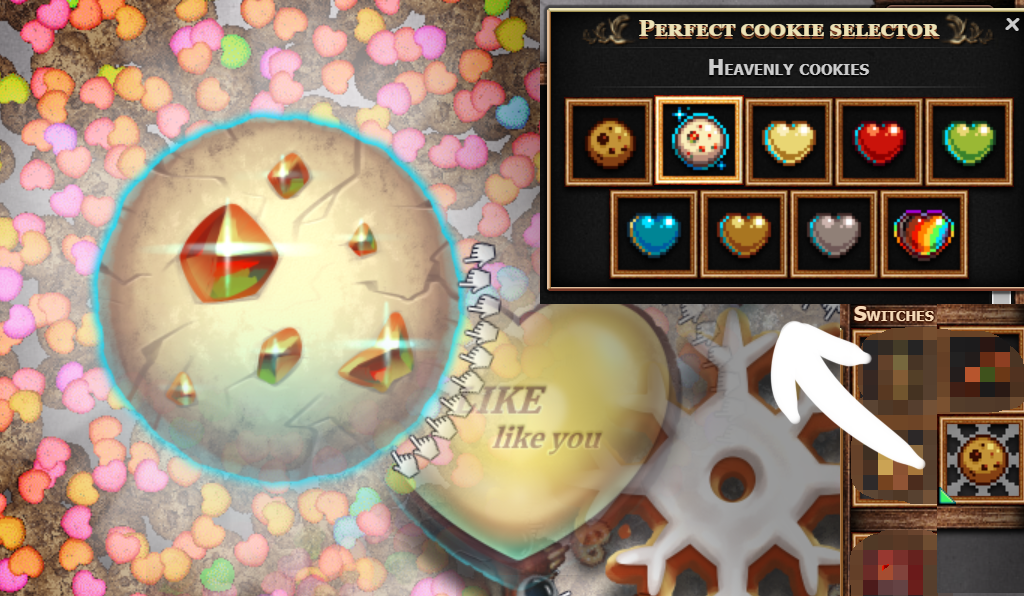
Cookie Clicker GitHub is a popular search term among people who enjoy simple browser games. Cookie Clicker is an idle game where players make cookies by clicking a large cookie on the screen. As players collect more cookies, they can buy upgrades and buildings. These items help them make even more cookies.
The game looks simple at first. However, it offers many exciting features. Players can build a large cookie business, unlock special upgrades, and grow their cookie production. Moreover, they can enjoy the game without spending hours clicking every second.
Many players search for Cookie Clicker GitHub because they want to learn about browser versions, open-source projects, and ways to play the game. GitHub also contains community projects related to cookie-clicking games. These projects can help people understand how developers create simple idle games.
In this guide, we will explore Cookie Clicker GitHub, its gameplay, important features, upgrades, strategies, and much more. We will also explain what beginners should know before playing.
What Is Cookie Clicker GitHub?
Cookie Clicker GitHub refers to searches for Cookie Clicker projects, game versions, and related code hosted on GitHub. GitHub is a website where developers share and manage their programming projects. It allows people to explore code, report problems, and sometimes improve projects.
Cookie Clicker itself is an idle game created by French developer Julien Thiennot, better known as Orteil. The original game became popular because of its simple idea. Players click a cookie and earn cookies as rewards.
However, the game does not stop there. Players can use their cookies to purchase buildings. These buildings produce cookies automatically. Therefore, players can grow their cookie collection even when they are not clicking constantly.
When people search for Cookie Clicker GitHub, they may be looking for different things. Some want a browser game. Others want to explore the source code of a community project. Developers may also want to learn how to create their own idle games.
How Does Cookie Clicker Work?
Cookie Clicker follows a simple gameplay system. You begin with one large cookie. Every time you click it, you earn one or more cookies. You can then spend those cookies on different items.
At the beginning, your progress may feel slow. However, things become faster when you purchase your first upgrades. These upgrades increase the number of cookies you earn from each click or improve automatic production.
The game uses an idle system. This means your buildings continue producing cookies without requiring constant attention. As a result, your cookie collection can grow over time.
Here is how the basic gameplay works:
- Open the game.
- Click the large cookie.
- Collect cookies.
- Purchase your first building.
- Unlock upgrades.
- Increase your cookie production.
- Continue growing your cookie empire.
This simple process makes Cookie Clicker easy to understand. At the same time, its many upgrades give players a reason to keep playing.
Why Is Cookie Clicker So Popular?
Cookie Clicker became popular because it offers a fun experience without complicated controls. Anyone can understand the main idea. You click a cookie, earn rewards, and purchase useful items. This makes the game suitable for both young and older players.
Another reason is its steady progress. Every upgrade gives players something new to work toward. Even a small purchase can improve cookie production. Therefore, players often return to see how much their bakery has grown.
The game also uses funny messages and creative ideas. You can find unusual buildings, strange upgrades, and interesting achievements. These details make the game feel different from many other browser games.
Here are some reasons why people enjoy it:
- Easy controls for beginners.
- Simple and colorful game design.
- Many buildings and upgrades.
- Automatic cookie production.
- Funny messages and achievements.
- Long-term goals and challenges.
- A relaxing experience without complicated missions.
How to Find Cookie Clicker GitHub Projects
GitHub is a useful place to explore projects related to Cookie Clicker. Developers upload their work so other people can study it. Some projects recreate the original gameplay, while others offer tools or different features.
To find these projects, visit GitHub and search for Cookie Clicker. You can also explore the Cookie Clicker topic page. It contains many public repositories from different developers.
The results may include game copies, learning projects, browser tools, and community modifications. However, not every project works in the same way. Some are complete games, while others only contain source code.
Follow these simple steps:
- Open the GitHub website.
- Enter Cookie Clicker in the search box.
- Open the repositories section.
- Read the project description.
- Check the programming language.
- Review the latest updates.
- Read the installation instructions before downloading anything.
You can also visit the Cookie Clicker GitHub topic page to discover related projects. GitHub lists projects in different programming languages, including JavaScript, Python, and HTML.
GitHub+1
Popular Types of Cookie Clicker GitHub Projects
Not every Cookie Clicker GitHub project is an exact copy of the original game. Developers create different versions for different reasons. Some want to practice programming, while others want to add new features.
Understanding these project types can help you find the right one. It also helps you avoid downloading something that does not match your needs.
Cookie Clicker Clones
A clone is a game that copies the basic idea of another game. Cookie Clicker clones often include a large cookie, clicking rewards, upgrades, and automatic production.
Some developers build these games with HTML, CSS, and JavaScript. These tools help them create simple browser games. Players can sometimes open the game directly in a browser.
For example, GitHub contains educational Cookie Clicker recreations. These projects allow developers to study how a basic clicking game works.
GitHub+1
Offline Cookie Clicker Projects
Some GitHub projects focus on offline gameplay. These projects aim to let players access a game without depending on a regular internet connection.
An offline version can be useful when you have limited internet access. However, each project has different requirements. Some may need manual setup before they work.
Always read the project instructions. Also, check whether the project includes all the files needed to run the game.
Cookie Clicker Mods
Mods are changes that add or adjust game features. They can change the way a game looks or works.
Some Cookie Clicker modifications provide extra information. Others add useful tools that make certain tasks easier. For example, the Cookie Monster project offers statistics and helpful information for players.
GitHub
However, mods may not work with every game version. Therefore, check compatibility before installing one.
Cookie Clicker Learning Projects
Many developers use Cookie Clicker as a programming exercise. They create simple versions to understand basic coding ideas.
These projects can teach beginners how games track points and rewards. They can also show how buttons, upgrades, and automatic systems work.
For students, this can be a fun way to learn programming. Instead of reading only theory, they can study a working example.
Main Features of Cookie Clicker
Cookie Clicker offers more than simple clicking. It includes many systems that make the game interesting. Each feature supports your progress in a different way.
Understanding these features can help you make better choices. It can also make your first hours of gameplay more enjoyable.
Clicking the Big Cookie
The Big Cookie is the main part of the game. You click it to earn cookies. At first, each click gives you a small reward.
However, upgrades can increase your clicking power. This means you can collect more cookies with fewer clicks.
The Big Cookie also gives the game its familiar look. It keeps the main gameplay simple and easy to understand.
Automatic Cookie Production
Automatic production is one of the most useful features. You can purchase buildings that create cookies for you.
As a result, you do not need to click all the time. Your buildings continue producing cookies while you focus on other tasks.
This feature makes Cookie Clicker an idle game. It also helps players make progress over longer periods.
Buildings and Producers
Buildings are important because they increase your cookies per second. Each building has a different price and production value.
You usually begin with affordable producers. Later, you can purchase more expensive buildings that produce larger amounts.
Some common building types include:
- Cursors
- Grandmas
- Farms
- Mines
- Factories
- Banks
- Temples
- Wizard Towers
- Shipments
- Alchemy Labs
Each building has its own role. Therefore, buying different producers can help you grow your cookie business.
Upgrades
Upgrades improve your gameplay. Some increase the power of your clicks. Others make buildings produce more cookies.
You should check the available upgrades regularly. A small upgrade may provide a large improvement over time.
Moreover, upgrades give you clear goals. You can save cookies for an item that makes your entire bakery stronger.
Golden Cookies
Golden Cookies are special items that appear during gameplay. They do not stay on the screen forever. Therefore, you should click them quickly when you see them.
They can provide helpful temporary effects. Some effects increase production, while others offer different rewards.
Golden Cookies add excitement to the game. They also encourage players to watch the screen instead of waiting without paying attention.
Achievements
Achievements reward players for reaching certain goals. You may earn them by collecting cookies, buying buildings, or reaching production targets.
They give players extra reasons to continue. In addition, they help you track your progress.
Some achievements are easy to unlock. Others require patience and long-term planning.
Best Tips for Beginners
Starting Cookie Clicker is easy. However, making smart decisions can help you progress faster.
You do not need a complicated strategy. Instead, focus on a few useful habits. These habits can improve your early gameplay.
Purchase Buildings Early
Your first goal should be to purchase automatic producers. They help you earn cookies without constant clicking.
At first, Cursors and Grandmas can provide useful production. You can purchase more buildings as your cookie collection grows.
Do not spend all your time clicking. Balance clicking with automatic production to make steady progress.
Check Upgrade Prices
Always check the store before making a purchase. Some upgrades provide more value than others.
For example, an upgrade that increases production across several buildings may be more useful than buying one extra producer.
Compare the price with the benefit. This simple habit can help you spend cookies wisely.
Collect Golden Cookies
Golden Cookies can provide powerful bonuses. Therefore, keep an eye on the screen while playing.
When one appears, click it before it disappears. You may receive a useful reward that improves your progress.
You should also learn how different bonuses work. This knowledge can help you use special effects at the right time.
Avoid Spending Without a Plan
It can feel exciting to purchase every available item. However, spending without thinking can slow your progress.
Instead, look at your current production. Then compare the available buildings and upgrades.
Choose the purchase that offers the best improvement for its price.
Save Your Progress
Saving your game is important. You do not want to lose hours of progress because of a browser problem.
Many game versions provide save and export options. Use them when available.
If you play a GitHub recreation, check its save system first. Different projects may store progress in different ways.
Is Cookie Clicker GitHub Free to Play?
Many Cookie Clicker-related GitHub projects are available for free. Developers can publish public repositories so other people can explore their work.
However, free access does not mean every project offers the same experience. Some repositories contain playable games. Others contain code that needs additional setup.
The original Cookie Clicker browser game also offers a way to play without purchasing the Steam edition. You can visit its official website and start playing in a compatible browser.
If you want the original experience, visit the official Cookie Clicker website.
Always check the project license and instructions. These details explain how you can use or share a particular project.
Can You Play Cookie Clicker in a Browser?
Yes, you can play the original Cookie Clicker through a web browser. You do not need a complicated installation process to begin.
Open the official website and wait for the game to load. Then click the Big Cookie to start collecting cookies.
Most modern browsers can handle simple browser games. However, your experience may depend on your device and browser settings.
A stable browser can make gameplay smoother. Also, keeping your browser updated can help prevent common problems.
GitHub projects may offer browser-based versions too. However, some require you to download files or follow setup instructions first.
Cookie Clicker GitHub and Game Development
Cookie Clicker GitHub is also useful for people who want to learn game development. The basic gameplay uses simple ideas that beginners can understand.
For example, a developer can create a counter that increases whenever someone clicks a button. Then they can add a store where players spend their points.
After that, they can introduce automatic production. This creates the basic structure of an idle game.
Developers can use different programming languages to build these features. However, JavaScript, HTML, and CSS are common choices for browser-based projects.
Learning JavaScript
JavaScript helps developers add actions to web pages. It can track clicks, update numbers, and control game features.
A simple clicking game is a good beginner project. It teaches how a button can change a value on the screen.
Later, developers can add more complex systems. These may include upgrades, achievements, and automatic production.
Learning HTML and CSS
HTML creates the structure of a web page. It can display buttons, headings, numbers, and other game elements.
CSS controls the appearance of those elements. It can change colors, sizes, spacing, and backgrounds.
Together, HTML and CSS help developers create an attractive game interface.
Understanding Game Logic
Game logic controls how the game works. It decides how many cookies a click provides and how much each building produces.
It also manages prices and upgrades. For example, a building may become more expensive after every purchase.
Learning these systems helps beginners understand how idle games operate.
Cookie Clicker GitHub vs. the Original Game
Players often wonder whether GitHub versions offer the same experience as the original game. The answer depends on the project.
The original game comes from Orteil. Community projects may recreate its features or offer their own ideas.
Here is a simple comparison:
| Feature | Original Cookie Clicker | GitHub Projects |
| Main gameplay | Original idle game | Depends on project |
| Clicking | Yes | Usually |
| Upgrades | Extensive | Varies |
| Buildings | Original building system | Varies |
| Source code | Not the same as a community clone | Often available |
| Custom changes | Through supported mods | Depends on project |
| Learning code | Limited direct access | Often useful |
The original game is a good choice for people who simply want to play. GitHub projects are useful for people who want to explore code or try community versions.
Neither option is automatically better for everyone. Your choice depends on what you want to do.
Is Cookie Clicker GitHub Safe?
Safety is important when downloading games from the internet. GitHub hosts many public projects, but you should not assume every file is safe.
Before downloading a Cookie Clicker GitHub project, check its description and source code. Look at the developer’s activity and read any available user comments.
You should also avoid unknown files that request unnecessary permissions. A simple browser game should not need access to your private information.
Follow these safety tips:
- Download projects from trusted developers.
- Read the README file.
- Check the repository activity.
- Avoid suspicious download links.
- Scan downloaded files with security software.
- Never share your passwords with unknown websites.
- Keep a backup of your saved game.
These steps can help you enjoy community projects with fewer risks.
Common Problems and Their Solutions
Sometimes players face problems while playing Cookie Clicker. These problems can happen because of browser settings, outdated files, or incompatible modifications.
Fortunately, many common issues have simple solutions.
The Game Does Not Load
If the game does not load, refresh the page. Also, check your internet connection.
You can try opening the game in another browser. Make sure JavaScript works correctly in your browser settings.
Game Progress Disappears
Losing progress can be frustrating. This problem may happen when you clear browser data or change devices.
Use the game’s save and export features when available. Keep a backup somewhere safe so you can restore your progress.
Upgrades Do Not Appear
Some upgrades require certain progress before they become available. You may need to collect more cookies or purchase specific buildings.
Continue playing and check the store again. Also, remember that different GitHub versions may have different upgrade systems.
A GitHub Project Does Not Work
A repository may contain code instead of a ready-to-play game. Therefore, you might need to follow setup instructions.
Read the README file carefully. Check the required tools and supported browser versions.
If the project has an issue tracker, look for reports from other users. You may find a solution there.
Why Do Players Enjoy Idle Games?
Idle games are popular because they offer progress without constant effort. Players can make a small move and watch their results grow over time.
Cookie Clicker uses this idea in a fun way. You start with one cookie and slowly build a huge production system.
Moreover, idle games give players simple goals. You can save rewards, unlock upgrades, and reach new milestones.
They also fit into short gaming sessions. You can play for a few minutes and return later.
Cookie Clicker combines these ideas with humor and unusual features. That is why many players continue enjoying it after reaching major milestones.
Can You Create Your Own Cookie Clicker Game?
Yes! You can create a simple cookie-clicking game with basic programming knowledge. You do not need to build a huge project at the beginning.
Start with one button and a cookie counter. Each click should increase the number on the screen.
Next, add a store. Let players spend their cookies to purchase automatic producers.
After that, introduce upgrades and achievements. You can also add special rewards to make your game more interesting.
Here is a simple development plan:
- Learn basic HTML.
- Understand CSS styling.
- Practice JavaScript.
- Create a clickable button.
- Add a cookie counter.
- Build a simple upgrade store.
- Introduce automatic production.
- Add saving and loading features.
- Test your game.
- Share your project on GitHub.
This approach makes game development easier. You can learn one feature at a time and improve your project as your skills grow.
Why GitHub Is Useful for Cookie Clicker Fans
GitHub offers more than downloadable projects. It provides a place where developers and players can share ideas.
You can explore different coding styles and compare projects. You can also read documentation and learn how developers solve problems.
If you understand programming, you can report bugs or suggest improvements. Some projects also accept contributions from other developers.
Furthermore, GitHub helps beginners build useful skills. Exploring a small game project can teach you about programming, teamwork, and software development.
The Cookie Clicker project collection is a useful starting point. You can explore different projects and choose one that matches your interests.
Final Things to Know Before Playing
Before choosing a Cookie Clicker GitHub project, decide what you want from the experience. If you only want to enjoy the original game, the official website is the simplest option.
On the other hand, GitHub is helpful when you want to explore community recreations or learn programming. Some projects provide playable versions, while others offer code for educational purposes.
Always read the instructions before downloading anything. Also, save your progress regularly.
Most importantly, enjoy the process. Cookie Clicker is designed to provide simple entertainment. You do not need to rush through every upgrade or achievement.
FAQs
1. What Is Cookie Clicker GitHub?
Cookie Clicker GitHub refers to game-related repositories hosted on GitHub. These projects may include game recreations, modifications, tools, and programming examples.
2. Is Cookie Clicker GitHub Free?
Many public GitHub projects are free to explore. However, each project has its own license and usage rules.
3. Can I Play Cookie Clicker Online?
Yes. You can play the original game through the official Cookie Clicker website using a compatible browser.
4. Can Beginners Use Cookie Clicker GitHub?
Yes. Beginners can explore simple projects and learn basic programming. However, some repositories require coding knowledge or additional setup.
5. Is Cookie Clicker Safe?
The original game is available through its official website. For GitHub projects, check the developer, files, and instructions before downloading anything.
Conclusion
Cookie Clicker GitHub is an interesting topic for both gamers and developers. It connects a popular idle game with a large collection of community projects and programming resources.
The game itself offers simple clicking, automatic production, exciting upgrades, and many achievements. These features make it enjoyable for beginners and experienced players.
Meanwhile, GitHub provides opportunities to explore game recreations, study source code, and learn programming. You can even use these projects as inspiration for creating your own idle game.
If you want the original experience, start with the official Cookie Clicker website. If you want to explore development projects, visit GitHub and check its Cookie Clicker collection.
Ultimately, Cookie Clicker is a simple game with plenty of room for creativity. Start clicking, collect cookies, unlock upgrades, and enjoy building your virtual cookie empire!
