
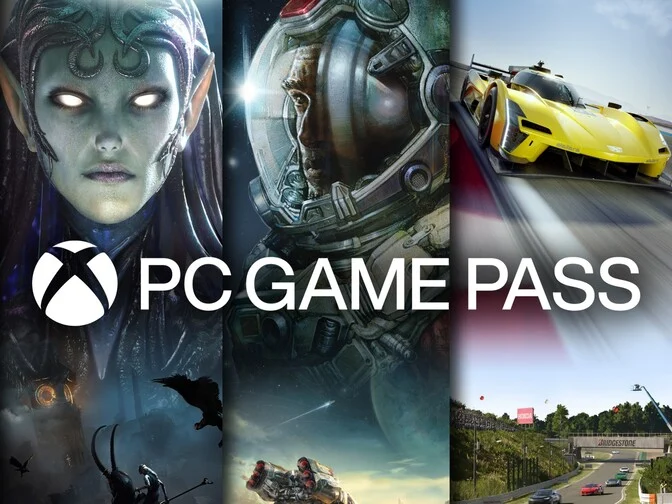
Do you love playing video games on your computer? Do you want to enjoy different games without buying every title separately? If so, Xbox PC Game Pass may be a great option for you. This subscription service gives PC gamers access to a large and changing collection of games for a monthly fee. You can explore action adventures, racing games, sports games, role-playing games, and many other genres. As a result, you can discover new gaming experiences without spending money on every game you want to try.
One of the best things about Xbox PC Game Pass is the freedom to explore different games. For example, you might enjoy a racing game today and try a story-based adventure tomorrow. You can also discover independent games that you may never have noticed in a regular online store. Moreover, selected new releases and extra membership benefits can make the service more attractive. However, the available games and benefits can change over time, so you should always check the current library before subscribing.
In this guide, you will learn how Xbox PC Game Pass works, what features it offers, how to install games, and how to decide whether the subscription is worth your money. We will also explain its main benefits, possible disadvantages, system requirements, and common problems. The goal is to help you understand the service in simple words so you can make a smart choice for your gaming needs.
What Is Xbox PC Game Pass?
Xbox PC Game Pass is a gaming subscription service for people who play games on Windows computers. Instead of buying every included game separately, you pay a regular subscription fee to access a changing library of titles. This gives you the chance to explore many different games while your subscription remains active and each game stays in the catalog. It can be especially useful for players who enjoy trying new experiences instead of playing only one title for a long time.
The service offers games from different genres and publishers. Depending on the current library, you may find action games, adventures, strategy games, racing titles, and other popular experiences. Some games may also become available through the service on their release day. Therefore, you can sometimes try selected new games without paying their full purchase price. However, not every new release joins the service, and not every Xbox console game works on a Windows PC.
It is also important to understand that Xbox PC Game Pass does not mean you own every game in the library. Your access depends on your subscription and the availability of each title. If your subscription ends, you generally lose access to games that you only played through the service. Similarly, a game may leave the catalog after a certain period. If you want to keep playing a particular title, you may need to buy it separately. You can review the current details on the official Xbox PC Game Pass website.
How Does Xbox PC Game Pass Work?
Xbox PC Game Pass works through a monthly subscription that connects to your Microsoft account. First, you choose an available plan and complete the signup process. Next, you install or open the Xbox app on your compatible Windows computer and sign in with the account linked to your subscription. From there, you can browse the game library, read descriptions, and select games that interest you. If a game is included and available for your device, you can usually download it and start playing after installation.
After downloading a game, you can launch it through the supported app or another listed method. The installation time depends on the game’s size, your internet speed, and your computer’s storage drive. Some large games can take a long time to download, so a stable internet connection can make the process easier. You should also check the game’s system requirements before installing it. This step helps you avoid downloading a game that your computer cannot run properly.
Another helpful part of Xbox PC Game Pass is the opportunity to try different types of games without purchasing each one individually. You can explore a new genre, test a game for a few hours, and then move to another title if you do not enjoy it. This makes the service appealing to curious gamers who like variety. Nevertheless, you should check the catalog regularly because games, offers, and membership benefits may change over time.
Main Features of Xbox PC Game Pass
Xbox PC Game Pass offers several features that can improve your PC gaming experience. The main attraction is its changing library of included games, but the service can also provide access to selected new releases, eligible member discounts, and EA Play benefits. These features can help you explore more titles and find games that match your interests. The exact benefits depend on the current subscription terms, the region where you live, and the games available at a given time.
Another useful feature is the ability to browse and manage games through the Xbox app. You can search for titles, check descriptions, review system requirements, and download supported games. This makes it easier to organize your gaming experience without visiting a different store for every title. However, some games may need additional launchers or accounts, so always read the information shown on the game’s page before installing it.
The service can also help you discover games that you might not normally purchase. For example, you may find an interesting adventure game while searching for a racing title. You can try it if it is included in the library and see whether you enjoy it. This freedom makes Xbox PC Game Pass useful for players who like variety. Still, you should focus on the games you actually want to play instead of subscribing only because the library looks large.
What Games Can You Play With Xbox PC Game Pass?
The available selection changes over time, so the exact list of games may look different from one month to another. However, the catalog can include several popular genres, giving players many options to explore. Some people enjoy fast action and exciting missions, while others prefer relaxing simulations or long stories. With Xbox PC Game Pass, you can check the current library and choose games that suit your personal interests and computer specifications.
Action and Adventure Games
Action and adventure games are popular because they offer exciting challenges, interesting worlds, and memorable stories. In an action game, you might fight enemies, complete missions, or react quickly to changing situations. Adventure games often focus more on exploration, puzzles, and discovering new places. Some titles combine both styles, allowing you to explore a large world while completing missions and improving your character. These games can be a good choice if you enjoy exciting gameplay and want something new to try.
Xbox PC Game Pass can help you explore included action and adventure games without purchasing every title separately. You may discover a game through its story, characters, or world design and decide to give it a try. This is useful when you are unsure whether a particular game will match your interests. However, always check the current catalog because availability can change, and some popular games may require a separate purchase.
Racing Games
Racing games are ideal for players who enjoy speed, competition, and powerful vehicles. Some titles focus on realistic driving and detailed car controls, while others offer arcade-style races with easier controls and exciting tracks. Depending on the game, you might race against computer-controlled opponents, explore an open world, or compete with other players online. Racing games can provide hours of entertainment, especially when they include different vehicles, tracks, events, and challenges.
With Xbox PC Game Pass, you can look for racing games that match your preferred style. If you enjoy realistic driving, search for simulations with detailed controls. If you prefer fast action, an arcade racing game may be a better choice. Before downloading a title, check its graphics requirements and storage needs. Some modern racing games need a powerful graphics card and plenty of free space, so make sure your computer can handle the game.
Sports Games
Sports games allow you to enjoy digital versions of popular sports on your computer. Depending on the current catalog, you may find games based on football, soccer, and other competitive activities. These titles can include career modes, tournaments, team management, and multiplayer matches. Some games focus on realistic sports action, while others offer simpler controls that make it easier for beginners to learn the basics. This variety helps players choose experiences that fit their skills and interests.
The sports games available through Xbox PC Game Pass can change, so check the library before subscribing if you want a particular title. You should also review the game’s multiplayer options, controller support, and any extra account requirements. Some online features may require additional services or accounts. By checking these details first, you can avoid surprises and choose a sports game that works well on your computer.
Role-Playing Games
Role-playing games, also known as RPGs, let you control a character and develop their skills throughout an adventure. You may explore new locations, complete quests, collect equipment, and make choices that affect your journey. Some RPGs take place in fantasy worlds filled with magic and monsters, while others use science fiction or modern settings. Many of these games offer long stories and detailed characters, which makes them appealing to players who enjoy exploring a world at their own pace.
Xbox PC Game Pass can be a useful way to discover included RPGs without paying the full purchase price for each one. You can try a game, learn its combat system, and decide whether you want to continue. However, some role-playing games require many hours to complete, so think about how much time you can spend playing. You should also check the game’s requirements before downloading it, especially if it includes detailed graphics and a large open world.
Strategy and Simulation Games
Strategy games challenge you to think ahead and make smart decisions. You might build a city, manage resources, lead an army, or plan moves to defeat an opponent. Simulation games offer different experiences, such as managing a business, operating vehicles, or creating a virtual world. Some are relaxing, while others require patience and careful planning. These games can be a good choice if you enjoy solving problems instead of relying only on quick reactions.
The changing Xbox PC Game Pass library may include strategy and simulation games for different skill levels. You can start with a simple title and gradually try more challenging options as your skills improve. Many games also provide tutorials that explain their main controls and systems. Before choosing a game, read its description to understand the type of experience it offers. This helps you find a title that suits your interests and makes better use of your subscription.
How to Get Xbox PC Game Pass on Your Computer
Getting started with Xbox PC Game Pass is simple when you have a compatible Windows computer and a supported Microsoft account. You should begin by checking the official requirements and subscription details. After that, you can install the Xbox app, sign in, choose a plan, and explore the game library. Following these steps in order can make the setup process easier, especially if you are using a gaming subscription for the first time.
Step 1: Check Your Computer Requirements
Before subscribing, check whether your computer runs a supported version of Windows. You should also review the processor, memory, graphics card, and storage requirements for the games you want to play. A computer may support the Xbox app but still struggle with a demanding game. For this reason, checking each game’s minimum requirements is important. If your computer has limited storage or older hardware, begin with games that have lower system requirements.
You should also make sure that your internet connection is stable enough to download games. Some modern titles use many gigabytes of storage, so downloads can take time. If you have a limited internet plan, consider how much data you can use each month. Planning ahead can help you avoid unnecessary costs and make the setup process smoother.
Step 2: Visit the Official Xbox Website
Next, visit the official Xbox PC Game Pass website and review the available subscription options. Check the price, included benefits, billing terms, and regional availability before joining. Promotional offers may be available at certain times, but you should read their conditions carefully. Do not assume that every offer applies to your account or country. The price shown during signup is the best place to confirm what you will pay.
Using the official website also helps you avoid suspicious sellers and misleading offers. Some unofficial websites may advertise unusually cheap subscriptions without explaining the risks. If you have questions about the service, use official Xbox support resources. Taking a few minutes to check the details can help you make a safer and more informed decision.
Step 3: Install the Xbox App
After checking the subscription details, install or update the Xbox app on your Windows computer through an official Microsoft channel. Open the app and explore its main sections to understand how the library works. You can search for games, read descriptions, and check which titles support your device. The app also helps you manage supported game installations, making it easier to organize your gaming experience.
Before installing a game, make sure you have enough free storage. If your drive is almost full, remove files you no longer need or consider adding a compatible storage drive. Remember that some games may require extra software or another launcher. Read the instructions on the game’s page so you know what to expect before starting the download.
Step 4: Sign In and Choose Your Subscription
Open the Xbox app and sign in with the Microsoft account connected to your subscription. If you do not have an account, follow Microsoft’s official signup instructions. Keep your password private and use a strong password to protect your account. If you already have a subscription, make sure you sign in with the correct account so the app can recognize your membership.
Next, compare the available plans and choose one that suits your gaming habits. If you mainly play on a Windows PC, a PC-focused subscription may be enough. If you also play on an Xbox console or want other benefits, compare the broader plans carefully. Before confirming your choice, check the renewal date and recurring charge so you understand when the next payment will occur.
Step 5: Find and Install Your First Game
Once your subscription is active, browse the game library and choose a title that interests you. Open its page and read the description, system requirements, and available features. If the game is included with your plan and supports your computer, select the installation option. Wait for the download to finish before launching the game, and avoid interrupting the process unless necessary.
After installation, open the game and adjust its settings to match your computer. You may need to lower the graphics quality if the game runs slowly. You can also change the sound, controls, and display settings to suit your preferences. Starting with a game you already want to play can help you learn how the service works before exploring the rest of the library.
How Much Does Xbox PC Game Pass Cost?
The price of Xbox PC Game Pass depends on your country, the subscription plan, and Microsoft’s current pricing. Prices and promotional offers can change, so you should check the official website before paying. A price shown for the United States may not apply in Pakistan or another country. Taxes, regional pricing, and payment options can also affect the final amount charged to your account.
The best way to judge the cost is to compare it with the games you plan to play. If you regularly enjoy several included games, the subscription may offer good value. For example, you might try an adventure game, a racing title, and a strategy game during the same month. Buying all those games separately could cost more, depending on their prices. However, this saving only matters if you actually play the games included in the service.
Before subscribing, consider these important points:
- Monthly price: Check the current charge for your region.
- Game selection: Make sure the catalog includes titles you want to play.
- Gaming habits: Consider how often you use your computer for gaming.
- Extra benefits: Review any included services and member discounts.
- Renewal date: Know when your next payment will occur.
- Cancellation rules: Understand how to stop future payments if you no longer need the service.
You should also remember that subscription access is different from owning a game. If you cancel your membership, you generally lose access to games that you only played through the service. Therefore, think about your long-term plans before deciding whether a subscription or separate purchases will suit you better.
Is Xbox PC Game Pass Worth It?
For many PC gamers, Xbox PC Game Pass can be worth the money because it offers access to multiple games through one subscription. It is especially helpful for people who enjoy variety and like trying different genres. Instead of paying the full price for every included title, you can explore the available library and decide which games deserve your time. This can make gaming more flexible and help you discover experiences you might otherwise overlook.
The service may also appeal to players who want to try selected new releases. When an eligible game joins the library at launch, members can play it without buying it separately. Additional benefits, such as EA Play access and eligible discounts, may add further value. However, these benefits depend on the current plan and its terms. You should always check whether the games and features you want are actually included before subscribing.
On the other hand, the service may not be the best option for everyone. If you play only one game for several months, purchasing that game could be cheaper over time. You should also consider your computer’s performance, available storage, internet connection, and monthly budget. Overall, Xbox PC Game Pass is most useful for people who want to explore several included games regularly. Compare the current catalog with your interests before deciding to join.
Xbox PC Game Pass vs. Buying Games Separately
Choosing between Xbox PC Game Pass and separate game purchases depends on your gaming habits. A subscription offers access to a changing library, while buying a game gives you a license to use that particular title under the store’s terms. Both options have advantages, and neither is automatically better for every player. The right choice depends on the games you enjoy, how long you play them, and how much money you want to spend.
Benefits of a Subscription
A subscription makes it easier to explore multiple included games for a recurring fee. You can try new genres without paying the full purchase price for every title. This can be useful if you enjoy variety or often change the games you play. Selected new releases and other membership benefits may also make the service more appealing, depending on the current plan.
However, you must keep your subscription active to continue accessing games that you do not own separately. Games may also leave the catalog, which means you could lose access to a title you enjoy. For this reason, you should not treat the library as a permanent collection. Check the current availability of your favorite games and consider purchasing a title separately if you want lasting access.
Benefits of Buying Games Separately
Buying games separately can be a good choice if you prefer a few favorite titles. Once you purchase a game, you generally do not need an active Game Pass subscription to play it, although other requirements may apply. This makes separate purchases useful for people who return to the same games for years. You can also choose titles that do not appear in the subscription library.
The main disadvantage is the upfront cost. Buying several new games can become expensive, especially when they launch at full price. You may need to wait for sales or discounts to stay within your budget. Before making a purchase, compare the price with the cost of subscribing and check whether the game is already included with Xbox PC Game Pass.
Which Option Should You Choose?
If you like trying many different games, a subscription may offer better value. You can explore included titles, test new genres, and move between games without purchasing each one separately. This approach works well for players who regularly use the library and find several games they want to play each month.
If you mostly play one or two games, buying them separately may be more practical. You can also use both options together by subscribing when the catalog interests you and purchasing favorite games when you want access outside the service. The important thing is to compare the costs and choose the option that fits your needs.
Tips to Get the Most From Xbox PC Game Pass
You can get more value from Xbox PC Game Pass by planning your gaming time and checking the library regularly. Start by identifying a few games you genuinely want to play instead of subscribing simply because the service offers many choices. This helps you decide whether the monthly fee makes sense. You can also create a short list of games to try, which makes it easier to choose your next adventure without wasting time browsing endlessly.
Another useful tip is to explore different genres. If you normally play action games, try a strategy title or a relaxing simulation. You may discover a new favorite that you would not have purchased on its own. However, do not feel that you need to play every game in the library. Focus on the experiences you enjoy, and remember that your time is valuable too.
Finally, keep track of storage space, system requirements, and subscription renewal dates. Remove games you no longer play if you need extra room for new downloads. Check official announcements for titles that may leave the catalog soon. If you find a game you love, review any available purchase options and member discounts. These simple habits can help you enjoy Xbox PC Game Pass while keeping your gaming budget under control.
Common Problems With Xbox PC Game Pass
Sometimes, you may experience problems while downloading, installing, or launching a game. These issues can happen because of a weak internet connection, limited storage, outdated software, or an account problem. Before changing major settings on your computer, try a few simple checks. Restart the Xbox app, confirm that Windows is up to date, and make sure your computer meets the game’s system requirements. If the problem continues, use official Xbox support instructions.
Games Will Not Download
If a game will not download, first check your internet connection and available storage. A slow connection may make large downloads take longer, while a full drive can prevent installation. You can also close and reopen the Xbox app and check whether Windows needs an update. If the download still fails, look for an error message and follow the relevant instructions from Microsoft support.
A Game Will Not Start
When a game refuses to launch, check its minimum system requirements and make sure your graphics drivers and Windows installation are up to date. Some titles require additional software, permissions, or another launcher. You should also check whether the game has a known issue listed on its official support page. Avoid downloading unknown files that promise to repair your game because they may put your computer at risk.
A Game Is Missing From the Library
A missing game does not always mean that your subscription has a problem. The title may have left the catalog, may not be available in your region, or may require a different subscription plan. It is also possible that the game does not support Windows PC, even if an Xbox console version exists. Search for the title through the official Xbox app and check its current platform and membership requirements.
Your Subscription Is Not Working
If Xbox PC Game Pass does not recognize your membership, confirm that you signed in with the correct Microsoft account. Then review your subscription status and payment details through your account settings. If your membership has expired or a payment did not go through, follow the official instructions to resolve the issue. Never share your password or payment details with an unofficial support account.
Is Xbox PC Game Pass Good for Beginners?
Xbox PC Game Pass can be a good choice for beginners because it gives them a way to explore different types of games without purchasing each included title separately. New players may not know whether they prefer action, racing, strategy, or role-playing games. A subscription can make it easier to try several genres and learn what they enjoy. It can also help beginners discover games with simple controls and helpful tutorials.
However, beginners should start with games that match their computer’s capabilities and personal interests. A very demanding game may run poorly on an older computer, while a complicated strategy game may take time to learn. Read each game’s description and requirements before downloading it. You can also look for beginner-friendly difficulty settings, tutorials, and control options. Starting with a simpler game can make the experience more enjoyable.
It is also important for new players to understand how subscriptions work. You pay a recurring fee, and access depends on your membership and the games that remain in the library. If you stop playing regularly, review whether the service still offers enough value. With a little planning, beginners can use Xbox PC Game Pass to explore gaming while making sensible choices about their time and money.
FAQs
1. What is Xbox PC Game Pass?
Xbox PC Game Pass is a subscription service that gives members access to a changing collection of supported PC games. You need an active subscription to play games through the service.
2. Can I use Xbox PC Game Pass on a laptop?
Yes. You can use it on a compatible Windows laptop if the laptop meets the requirements for the games you want to play. Some demanding titles may need stronger hardware.
3. Do I keep the games after my subscription ends?
No. You generally lose access to games that you played only through the subscription. You may need to buy them separately to continue playing.
4. Does Xbox PC Game Pass include every Xbox game?
No. The PC library includes selected titles, and some console games do not have PC versions. Always check the game’s listing before subscribing.
5. Is Xbox PC Game Pass worth the money?
It can be worth it if you regularly play several included games. If you only play one title, Conclusion
Xbox PC Game Pass offers PC gamers a convenient way to explore a changing library of games through a subscription. It can be a good option for people who enjoy variety, want to try different genres, and prefer not to purchase every included game separately. Depending on the current plan, members may also receive access to selected new releases, EA Play benefits, and eligible discounts. These features can make the service appealing to both new and experienced gamers.
However, the service has a few limitations. Games can leave the library, your access depends on an active subscription, and some titles require powerful computer hardware. You should also check the current price, regional availability, and system requirements before paying. If you mainly play one game, buying it separately may offer better value. On the other hand, if you enjoy trying several games every month, a subscription could suit your needs.
Before making your final decision, visit the official Xbox website and review the current catalog and subscription terms. Choose a plan that fits your budget and gaming habits. By checking the details first, you can decide whether Xbox PC Game Pass is the right way to enjoy games on your computer.purchasing it separately may cost less over time.
